
The system allows to automate the process of documentation review. The business process (BP) provides consolidation of review results in one window with the ability to comment pdf files, automatically generating a list of comments for its subsequent sending to the contractor.
There are several ways to start a BP: based on the selected documentation in the project tree and from the incoming transmittal. The tabs "Reviewers", "Informed persons", as well as the fields "Endorser" and "Approver" are filled automatically according to the approval template.
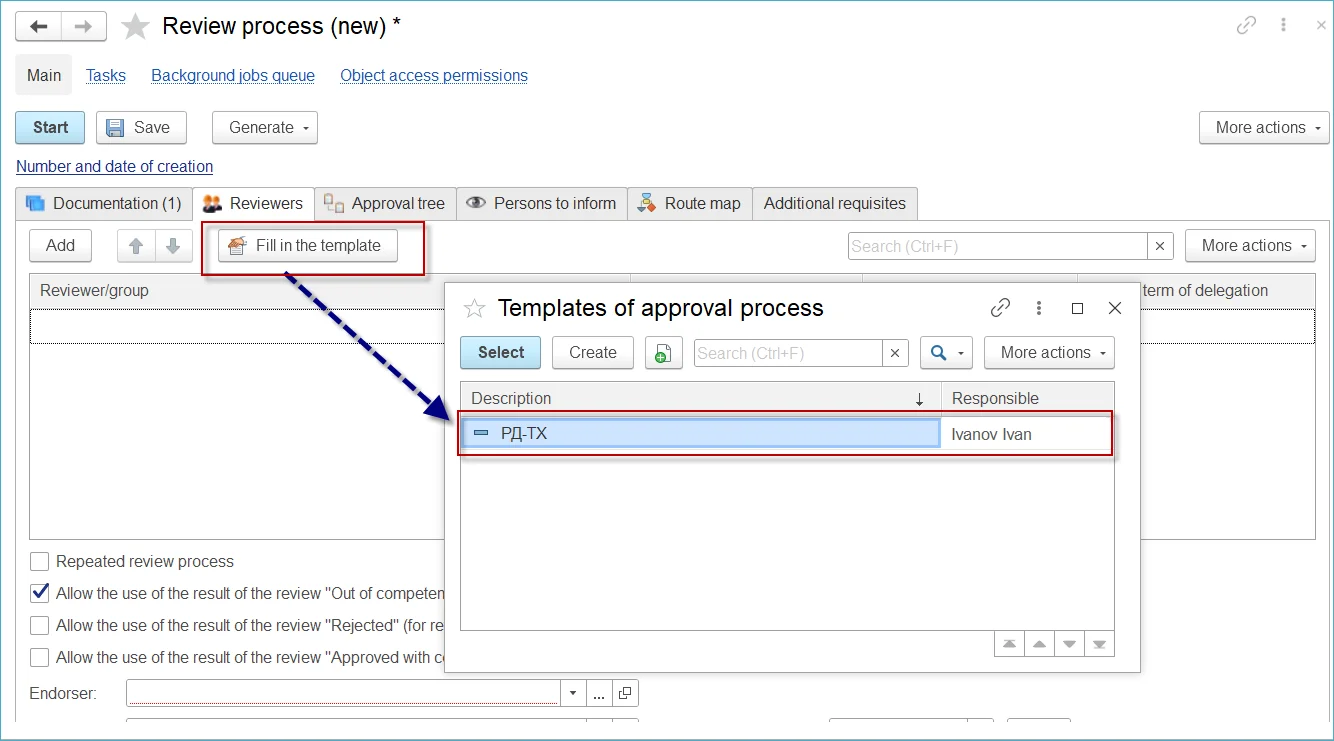
Automatic selection of BP participants
After the BP start, the reviewer, endorser, approver and informed persons receive tasks in the Taskbar, as well as e-mail notifications. By clicking on the link from the e-mail, you can go to the required BP in the system.
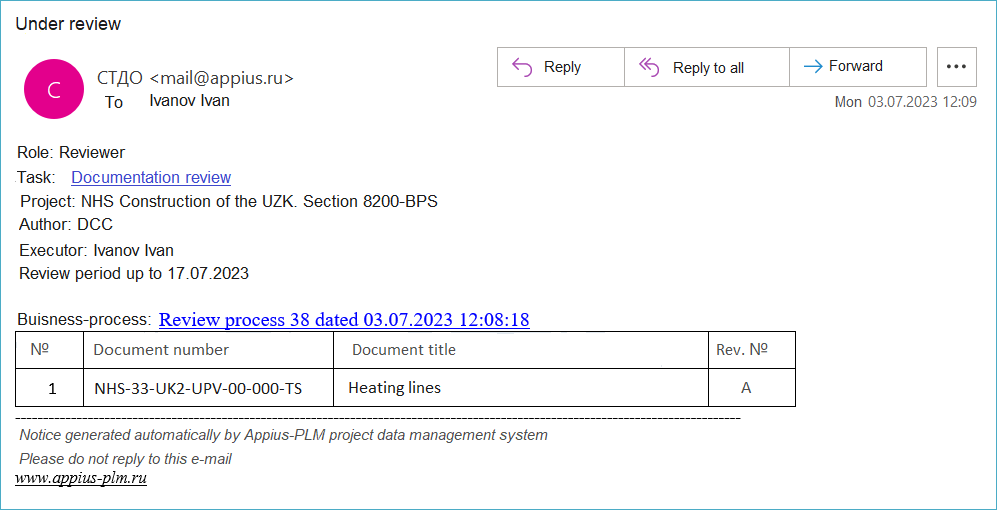
Documentation for review is sent in accordance with the specified deadlines and the role of participation (reviewer, endorser, approver, informed person) based on the distribution matrix or on the basis of manually specified information at the start of the BP.
- Reviewer - a person, a representative of the company, whose discipline is affected in the documentation. The reviewer examines and promptly provides comments on the documentation.
- Endorser is the person responsible for reviewing the documentation as a whole, as well as the quality of the comments provided by the reviewers.
- Approver - the person responsible for approving the comment sheet before sending it to the contractor.
- Informed person - a person who receives notification by e-mail at the start and end of the BP and his duty is to be aware about documentation attached without any right to leave comments.
The system applies the following BP algorithm:
- Issuing documentation review tasks for the reviewer and endorser;
- Automatic (optional) closing of reviewers' tasks with the mark "Completed automatically" in case of failure to complete the deadline
- Issuing a task for the approver (if he is specified in the BP) upon completion of the task by the endorser;
- Issuing a task for the BP initiator about the necessity to send the results of the review;
Documentation review is reflected in the "Commenting window”, where BP participants indicate the review status for each document and, if necessary, add comments.
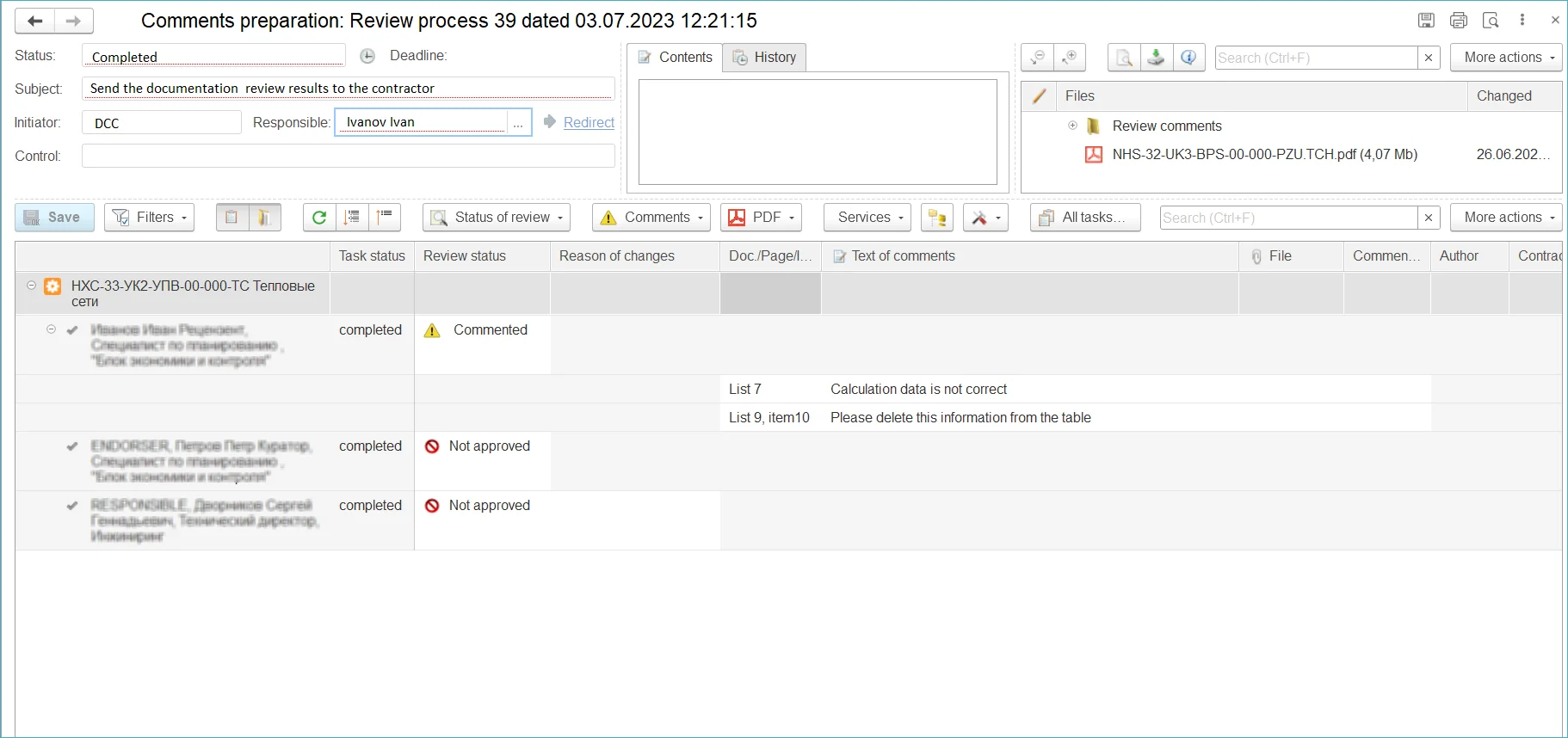
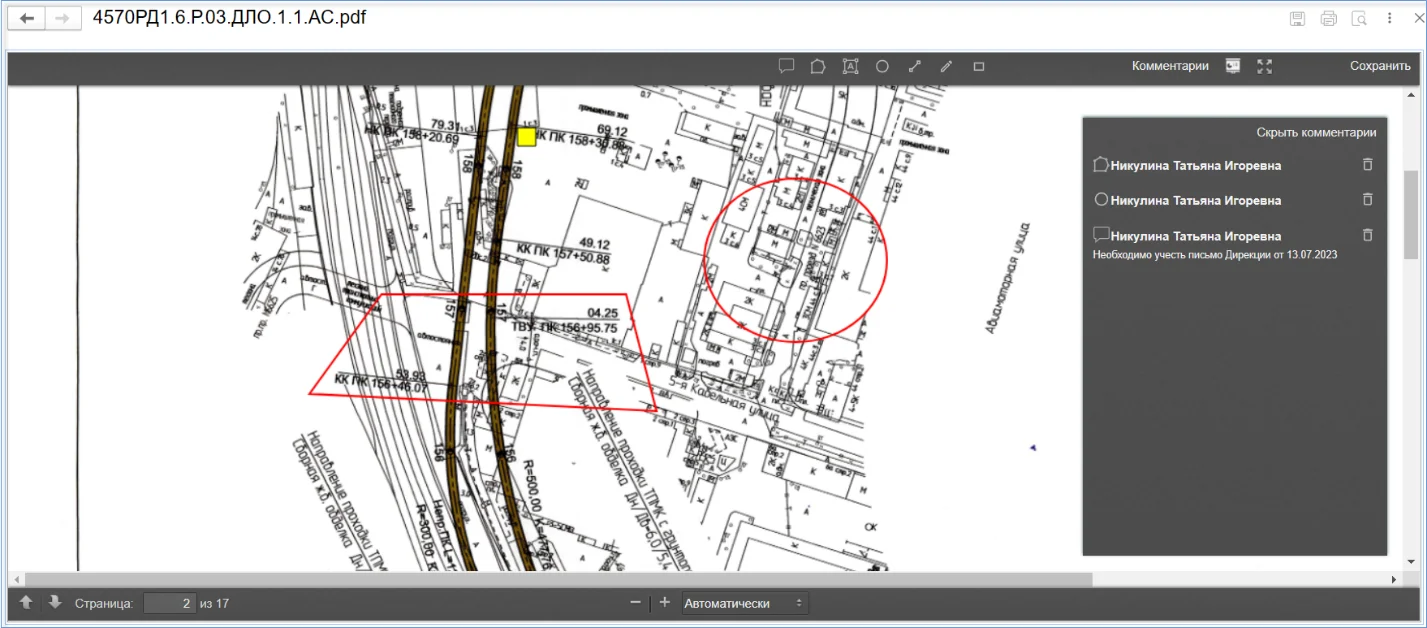
When reviewing the documentation, BP participants can leave text comments and add files, as well as use the "PDF-Commenting" menu - adding text and graphic comments directly on the pdf-file page in online mode. The function is available within the system without the use of third-party applications.
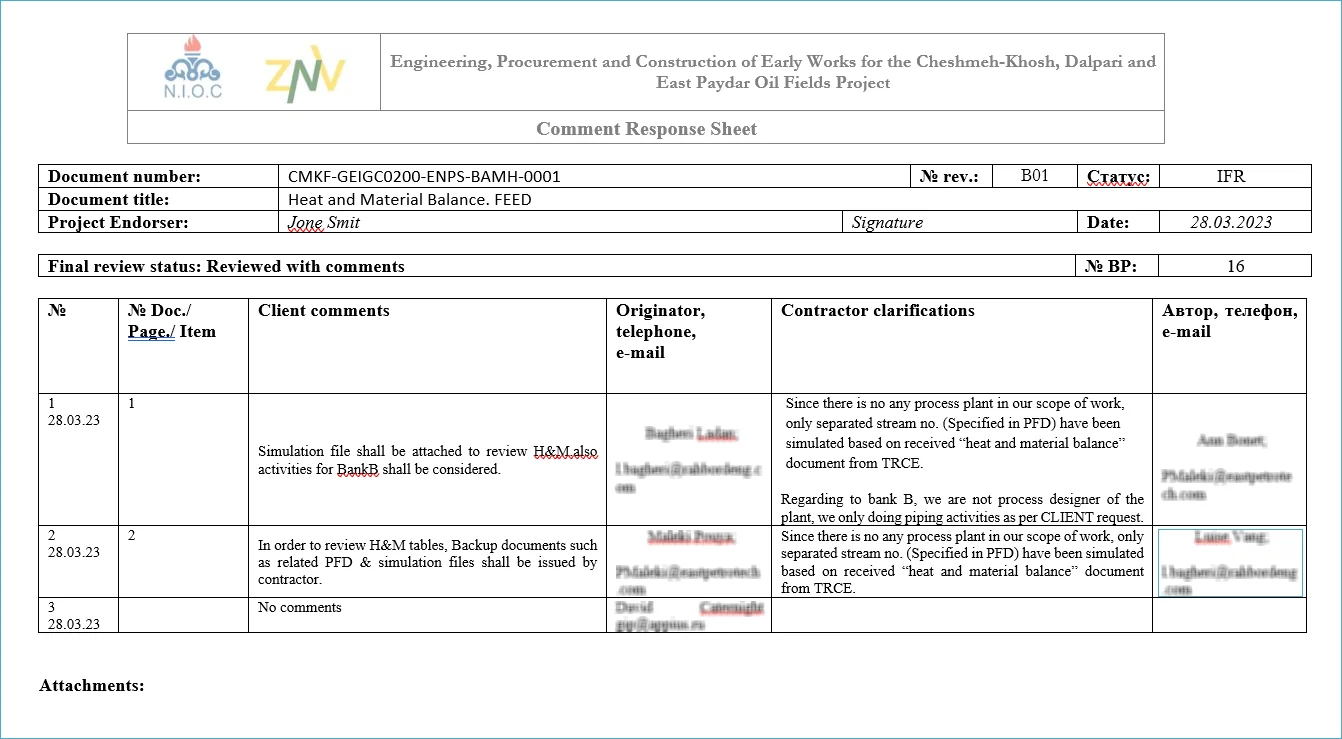
The system automatically generates a list of comments along with a task for the BP initiator to send the results of the documentation review to the contractor.
The BP is finished after the preparation of the outgoing transmittal and the completion of the task of sending the documentation review results to the contractor.