
This module allows to automate the process of documentation cards (of all types) registration by filling in all the necessary parameters from a file with the xls extension, as well as automate the process of uploading historical data by filling in both documentation properties and adding files (including the development format), and creating a link with transmittals, letters, contracts (with the addition of their filesThanks to the functionality of the universal module for importing documentation from the registry, the following features are available to users:
- creation of documentation cards (detailed design and project documentation, estimate documentation, as-built documentation and etc.) with the necessary attributes depending on the type of the loaded data element;
- building a hierarchical structure of the project;
- import of documentation files of any format;
- creation of related documents: transmittals, letters, contracts, orders;
- updating the property parameters of already loaded data;
- analysis of changes in the structure and parameters of elements before re-importing data;
- creating a link between documentation of different types (for example, between detailed design and estimate documentation or as-built documentation).
Having selected the necessary .xlsx file for import, the user specifies the element to be imported and the type of element of uploaded data, and also sets the necessary settings for recording elements and importing files (settings for creating elements, searching for files, matching columns and properties, uploading letters, transmittals and contracts).
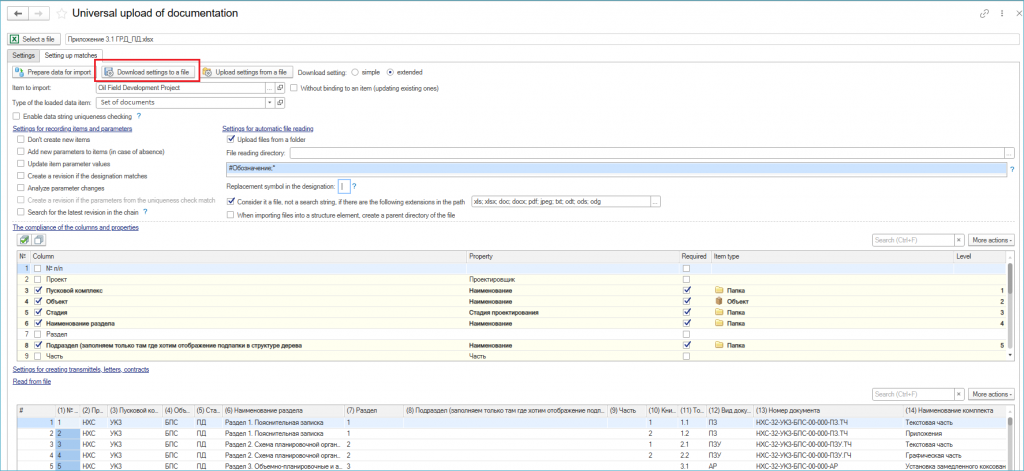
Import parameters properties
The imported data is displayed in the "Data to Import" tab, where you can analyze the prepared data before saving it to the system.
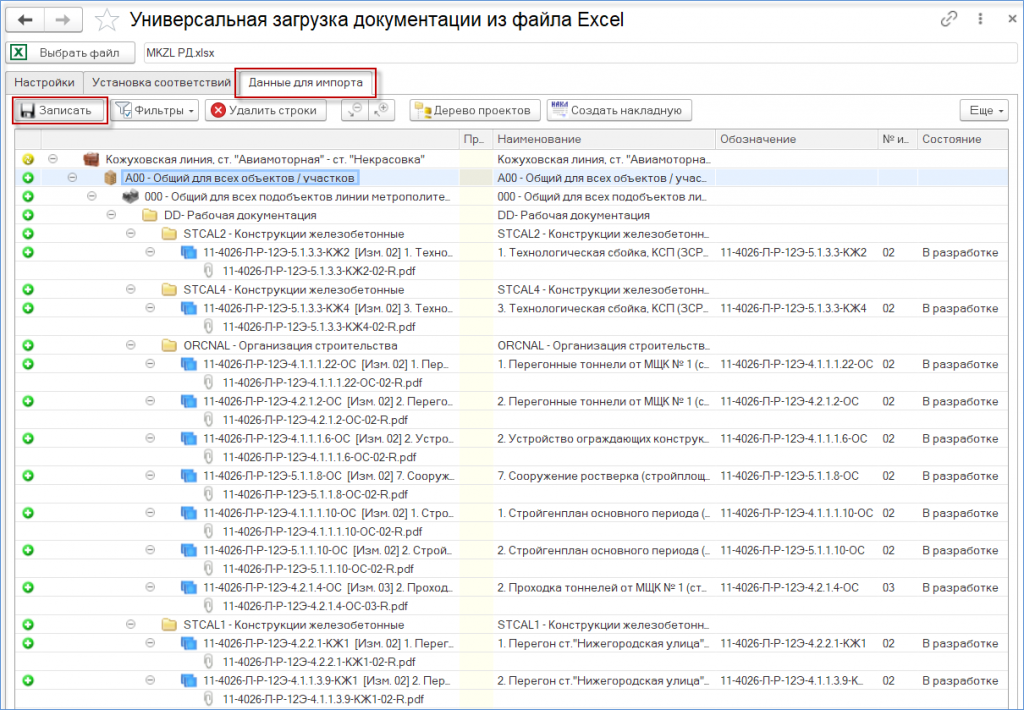
Preview of import results
After recording the data, documents are created with automatic construction of the project structure with the specified parameters, files are imported, related transmittals, letters, etc. are created.
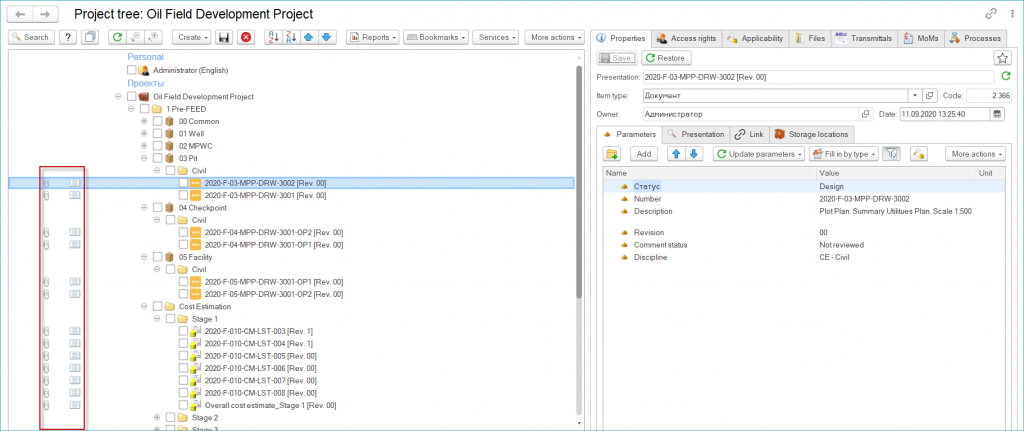
Project tree
The system allows to save the settings to a file and apply them to subsequent sessions of the data import module.